


Parivahan Sewa Portal 2026 – Vehicle & DL Services Online
The Ministry of Road Transport and Highways introduced the Parivahan Sewa Portal, which makes over 1300 RTO services accessible online. The portal makes transportation-related chores easier for Indian individuals, from applying for a driver's license and registering a car to reviewing challans and paying road tax.
Parivahan Seva Portal
Over 1300 Road Transport Offices (RTOs) in India have been computerized with help from the Ministry of Road Transport & Highways. Both a Driving License (DL) and a Registration Certificate (RC), which are valid across India, are issued by RTOs.
The National Informatics Center was tasked by the Ministry with standardizing and implementing the software VAHAN for Vehicle Registration and SARATHI for Driving Licenses (DLs), as well as gathering information about DLs in every state and vehicle registration. The Parivahan Sewa Portal, a comprehensive portal offering a range of transport-related services, integrates VAHAN and SARATHI.
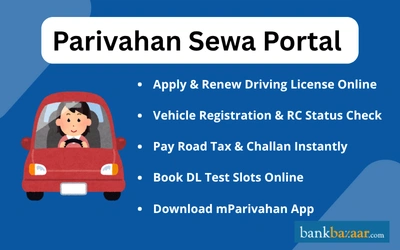
Services Available on Parivahan Sewa Portal
Given below are the various the services which are available at the portal of Parivahan Sewa:
Category of Services | Description |
Driving Licence | Apply, Renew, International Permit, Test Slot, and DL Status |
Vehicle Services | Fitness, Insurance Verification, RC Application, and Hypothecation |
E-Challan | Verify Status and Make an Online Payment |
mParivahan App | Complaint, Nearest RTO, and DL/RC Check |
Fancy Number | Make an online reservation through the portal |
RC Transfer | Apply Online to Change Ownership |
The following are other services available on the Parivahan Sewa Portal:
- Permit-related services
- NR (National Register) services that are paid for
- Verify after taxes
- Acknowledgment
- National Register (NR) services
- Authorization for the All India Tourist Permit (AITP)
- Authorization of national permits
- Manufacturer of SLDs (Speed Limiting Devices)
- Compressed Natural Gas (CNG) producer
- Vehicle Location Tracking Device (VLTD) manufacturer
- Certificate of Trade
- Car scrapping
- Dealer approval for an older registered car
How to Register on Parivahan Sewa Portal
You can register on on Parivahan Sewa website by following the steps given below:
- Go to the official website of Parivahan Sewa.
- Click on the option ‘Sign Up’ or ‘Register’.
- Fill in your personal information and contact details.
- Select a strong password and your registration process will be completed.
Parivahan Sewa Login
The Parivahan Sewa Portal login process is as follows:
- Go to the Parivahan Sewa Portal
- Choose Dealer Login, Sarathi Login, or Vahan Login
- After selecting Login, input your login information.
Services Available on the mParivahan App
The mParivahan app provides easy access to various transport services. These are as follows:
- Details of nearest RTO, challan, RC status, registration, and vehicle details
- Learner’s license test, driving license test, and RC renewal
- Information about the nearest pollution checking centre
- Payment of road taxes
How to Register on the mParivahan App
On mParivahan Sewa smartphone app, there are numerous language versions are available, including English, Hindi, and Marathi. You can follow the steps mentioned below to register and sign-in to mParivahan Sewa app:
Step 1: Download the official mparivahan app from NIC eGov from the Play store.
Step 2: When the app is installed, launch it. Enter your mobile number to register if you are a new user. Your phone will receive an OTP.
Step 3: After entering the OTP, select "Verify."
Steps to Download Forms in Parivahan Sewa Portal
The Parivahan Sewa Portal offers the following forms for download:
- Forms for driving licences
- Dealer forms for motor vehicles
- Forms for permits
- Forms for vehicle registration
- Forms for vehicle recalls
To get forms from the Parivahan Sewa Portal, follow these steps:
- Go to the Parivahan Sewa Portal
- After choosing Information Services, choose Downloadable Forms
- Choose from the following relevant form options: All forms, Driving license, Motor vehicle dealer, Permit, Vehicle registration, or Vehicle recall
- To download the form, click on its number
- Your device will download the form.
Parivahan Sewa Tax Payment
Follow the steps mentioned below to pay your taxes through Parivahan Sewa -
Step 1: Visit the official website. Click the "Check Post Tax" link found on the home page's "Online Services" section.
Step 2: There will be a new page that will open. Click the "Tax Payment" option now.
Step 3: Now, choose the 'service name' from the menu and the name of the state you are visiting. Then click "Go."
Step 4: The computer screen will show the "Border Tax Payment" application page. Enter your vehicle's VIN and press "Get Details." There will be some auto-filled fields.
Step 5: Give the remaining information. Then, to pay the computed tax amount, click "Calculate Tax" or "Pay Tax."
Step 6: A link to the payment gateway will be provided. Select the payment processor, then click "Continue."
Step 7: You will be transferred to the "Check post" page after making the tax payment. You will receive a receipt that you may print off and store for later use.
How to Check e-Challan Status Through Parivahan Sewa?
The following are the steps to check e-Challan status through Parivahan Sewa:
- Visit the e-challan parivahan page
- Click on the ‘Check Online Services’ option
- Click on the ‘Check Challan Status’ option
- Click on the ‘Get Detail’ option, after entering the ‘Vehicle Number’ or ‘DL Number’ or ‘Challan number’, and the captcha
The screen will display all the details of the e-challan along with the payment details.
How to Pay Challan and Fines Online Through Parivahan?
The following are the steps to make payment for challan and penalties through Parivahan Sewa:
- Visit the e-challan parivahan page
- Click on the ‘Check Online Services’ option
- Select the ‘Check Challan Status’ option
- Click on the ‘Get Detail’ option, after entering the ‘Vehicle Number’ or ‘DL Number’ or ‘Challan number’, and the captcha
- The e-challan status will now appear
- Under Payment column, click on the ‘Pay Now’
- Select the payment mode
Note: A payment confirmation message will be sent to the registered mobile number with transaction ID.
How to Apply for a Driving Licence Online Through Parivahan Sewa Portal
The procedure listed below can be used to apply for a driver's license online:
- Go to the Parivahan Sewa Portal
- On the homepage, click the Online Services button and choose Driving License Related Services
- From the Select State option drop-down list, choose the state in which you wish to apply for the DL
- The transportation department page for each state will open with several possibilities
- Select Apply for Driving License
- Complete the form fields and attach the necessary files
- Pay the fees and reserve a time window for the DL exam, if applicable
- To obtain a driver's license, go to the RTO office and provide the necessary documents and the DL test.
How to Book Slots for Driving License Through Parivahan Sewa Portal
The following are the steps to book slots for Driving License through Parivahan Sewa portal:
- Visit the Parivahan Sewa portal
- On the homepage, click on ‘Online Service’
- Select the ‘Driving License Related Services’ option
- From the ‘Select State’, select the state where you want to book a slot for DL
- Click on the ‘Appointments’ option
- Select the ‘Slot Booking DL Test’ option
- A new page- ‘DL Test Appointments’ will be visible
- Select the ‘Application Number’ or ‘Learner License Number’ option
- Enter the required details, such as date of birth, application or learner license number, captcha
- Click on ‘Submit’
- Select the date and time of the slot for DL test after submitting the details.
How to Check Driving License (DL) Status?
After completing the process of applying for a Driving License (DL), you can check the status of your application online by following the steps given below:
- Visit the official webiste of Parivahan Sewa.
- Under the option ‘Online Services’, select the option ‘Driving License Related Services’.
- Select the state and a new page will be opened.
- Select the option ‘Application Status’.
- Fill in the application number, Date of Birth, and captcha code.
- Click on ‘Submit’ and your application status will be displayed.
Application Status for Parivahan Sewa
By following the steps listed below, you can check the progress of your application for vehicle-related services on the Parivahan Sewa portal:
- Go to the Parivahan Sewa Portal
- On the homepage, click the Online Service button and choose Vehicle Related Services
- From the Select State option drop-down list, choose the state
- After entering the car registration number under the Vehicle Registration Number option and choosing State RTO from the drop-down menu, click Proceed
- A page with several options will appear. Choose the Know Your Application Status option after clicking the Status option at the top of the page
- Click Submit after entering the Application Number or Vehicle Registration Number and the Captcha.
How to Apply for Transfer of RC Ownership/ Change of Address/ Hypothecation?
In case you want to update the RC information, such as transferring ownership, changing address, or adding hypothecation, you can apply for it online by following the steps given below:
- Go to the official Parivahan Sewa Portal.
- Under the option ‘Online Services’, select the option ‘Vehicle Related Services’.
- Select the state and fill in your vehicle registration number or select RTO.
- Click on ‘Proceed’ and select ‘Transfer of ownership’, ‘Change of Address’ or ‘Hypothecation Addition’ option.
- Fill in the ‘Registration Number’, ‘Chassis Number’, mobile number and you will get an OTP.
- Enter OTP and the required details.
- Pay the required fees and print a copy of the receipt of the fee payment.
- You need to submit the required documents, including a copy of Form 29 and Form 30, Form 31 or Form 32 to the RTO (Regional Transport Office) by speed of post or in person.
How to Check Registration Certificate (RC) Status?
- The following are the steps to check the Registration Certificate (RC) on the Parivahan Sewa Portal:
- Visit the official Parivahan Sewa portal
- Click on the ‘Online Service’ option and select the ‘Vehicle Related Services’ option
- Under the ‘Select State’ option, select the state where the vehicle owner has applied for registration certificate
- Enter the vehicle registration number, after clicking on the ‘Vehicle Registration Number’ option
- Select the ‘State RTO’ and click on ‘Proceed’
- Click on ‘Status’ option from the multiple options displayed on the screen
- Select the ‘Know Your Application Status’ option
- Enter the ‘Application Number’, which is the RC application number
- Enter the captcha
- Click on ‘Submit’ and ‘View Report’. The RC status will be displayed on the screen.
How to Check the Validity of PUC Certificate?
By following the steps given below, you can check the validity PUC (Pollution Under Control) Certificate through Parivahan Sewa Portal:
- Go to the Parivahan Sewa Portal website
- Select the option ‘PUCC’ under the tab ‘Online Services’.
- Click on the option ‘PUC Certificate'.
- Fill in the details such as ‘Registration Number’, ‘Chassis Number’, and captcha code.
- Click on the ‘PUC Details’ option to check the status.
Fees and User Charges
The following fees and charges apply:
Trade Certificate Fees
Purpose | Vehicle Class | Amount |
Grant or renewal of trade certificate | Motorcycle | Rs.500 |
Invalid carriage | Rs.500 | |
Others | Rs.1,000 | |
Duplicate trade certificate | Motorcycle | Rs.300 |
Invalid carriage | Rs.300 |
Registration Certificate – New or Renewal
Purpose | Vehicle Class | Amount |
Renewal or issue of certificate of registration + new registration mark | Invalid carriage | Rs.50 |
Motorcycle | Rs.300 | |
Three-wheeler, light motor vehicle, quadricycle (Non-transport) | Rs.600 | |
Three-wheeler, light motor vehicle, quadricycle (Transport) | Rs.1,000 | |
Medium goods vehicle | Rs.1,000 | |
Medium passenger motor vehicle | Rs.1,000 | |
Heavy goods vehicle | Rs.1,500 | |
Heavy passenger motor vehicle | Rs.1,500 | |
Imported motor vehicle | Rs.5,000 | |
Imported motorcycle | Rs.2,500 | |
Any other vehicle | Rs.3,000 |
Note:
- Additional Rs.200 if the registration certificate is a smart card (Form 23A).
Delay in applying for renewal:
- Rs.300/month for motorcycles
- Rs.500/month for other non-transport vehicles
Duplicate Certificate of Registration / Ownership Transfer / Change of Residence / Recording Alterations
Purpose | Amount |
Issue of duplicate certificate of registration | Half of the applicable fee in registration section |
Ownership transfer | Half of the applicable fee in registration section |
Change of residence | Half of the applicable fee in registration section |
Recording alteration in certificate of registration | Half of the applicable fee in registration section |
Note (for change of residence and ownership transfer): For every month’s delay in submission of No Objection Certificate:
- Rs.300 (motorcycles)
- Rs.500 (other vehicles)
mParivahan Sewa Application
The mParivahan App is a DL and RC service application that offers basic car information, road tax payment, license registration, and more. This app was released by the Ministry of Road Transport and National Highways. This software is available for download on any smartphone via the Apple Store or Google Play Store.
Users can file complaints about transportation-related concerns with the mParivahan application. For follow-up, a user can also share a picture of the issues they are having while driving. To accommodate all users, the mParivahan app is offered in multiple languages.
The app is primarily accessible in three languages:
- Hindi
- Marathi
- English
The mParivahan app offers the following services:
- The learners' license exam, the DL exam, and the RC renewal
- Information on the closest RTO, challan, RC status, registration, and vehicle
- Road taxes are paid
- Closest pollution control facility
Hypothecation, Lease, or Hire Purchase Endorsements
Purpose | Vehicle Class | Amount |
Endorsing agreement | Motorcycle | Rs.500 |
Quadricycle, three-wheeler, or light motor vehicle | Rs.1,500 | |
Medium or heavy vehicle | Rs.3,000 |
Note: No separate fee for cancellation or fresh certificate after termination of such agreements.
Vehicle Fitness Test Fees
Vehicle Class | Manual Test Fee | Automated Test Fee |
Motorcycle | Rs.200 | Rs.400 |
Light motor vehicle, quadricycle, three-wheeler | Rs.400 | Rs.600 |
Medium or heavy motor vehicle | Rs.600 | Rs.1,000 |
Grant or Renewal of Certificate of Fitness
Purpose | Amount |
Grant or renewal of certificate | Rs.200 |
Note: Delay in renewal: Rs.50 per day.
Verification of Parivahan Vehicle Insurance
The procedure to verify the details of the car insurance is as follows:
- Go to the Parivahan Sewa Portal
- On the homepage, click the Information Service button and choose Know Your Vehicle Details
- On the Citizen Login screen, select the Create Account option to create an account
- Once the account has been created, log in by entering the cellphone number and OTP
- Click Proceed after choosing the state from the Select State drop-down list and choosing State RTO
- Click the Vahan Search button after entering the Vehicle Registration Number and captcha
- The page will show the vehicle's insurance information and RC status.
How to Contact Parivahan Sewa
If you have any queries, you can have them addressed via these methods:
1. For Queries Regarding the Website: All website related queries can be addressed to the Web Information Manager, Ms Dharkat R Luikang.
- Email: wim.rth@nic.in.
2. For Technical Problems Learner Licence and Driving Licence: All technical issues with respect to learner and driving licences can be addressed to:All phone calls are to be made between 6:00 a.m. to 10:00 p.m.
- Email: helpdesk-sarathi@gov.in
- Contact Number: +91 120 2459169
Parivahan Sewa Fancy Number
The procedure for requesting a fancy number for a car via the Parivahan Sewa Portal is as follows:
- Click on the Online Services tab after visiting the Parivahan Sewa Portal
- Choose Fancy Number Booking. There will be a new page
- Select Search by Number
- From the drop-down menu, choose State and RTO
- Click Check Availability after entering the Numeric Part of Number and captcha
- A list of the available registration numbers will show if the number is available. A notification stating that the Parivahan fancy number is not available will appear if the number is unavailable.
State RTO Codes and Official Website
Every RTO under each state and Union Territory (UT) has a desgnated code and official website. Here is the list of State RTO codes and their respective websites:
Official Website | State or UTs | State Codes |
Arunachal Pradesh | AR | |
https://www.aptransport.org/ | Andhra Pradesh | AP |
Assam | AS | |
Bihar | BR | |
Chhattisgarh | CG | |
Gujarat | GJ | |
https://goatransport.gov.in/Default | Goa | GA |
Haryana | HR | |
Kerala | KL | |
Karnataka | KA | |
Maharashtra | MH | |
Manipur | MN | |
Madhya Pradesh | MP | |
https://transport.mizoram.gov.in/ | Mizoram | MZ |
Meghalaya | ML | |
Nagaland | NL | |
Odisha | OD | |
Punjab | PB | |
https://transport.rajasthan.gov.in/content/transportportal/en.html | Rajasthan | RJ |
https://sikkim.gov.in/departments/transport-department | Sikkim | SK |
Tamil Nadu | TN | |
Telangana | TS | |
Tripura | TP | |
https://uptransport.upsdc.gov.in/en-us/ | Uttar Pradesh | UP |
West Bengal | WB | |
Andaman and Nicobar Islands | AN | |
Chandigarh | CH | |
Daman and Diu | DD | |
Dadra and Nagar Haveli | DN | |
Lakshadweep | LD | |
National Capital Territory of Delhi | DL | |
Puducherry | PY | |
Leh-Ladakh | LA |
FAQs on Parivahan Sewa Portal
1.What does Sarathi Parivahan mean?
The Ministry of Road Transport & Highways has created the online portal Sarathi Parivahan to provide services relating to driving licences, such as applying for a licence or renewing an existing one.
2.Can I edit my submitted form on Parivahan Sewa website?
Yes, you can edit your submitted form on Parivahan Sewa website.
3.What is the email id for Parivahan Sewa customer care?
The email id for the Parivahan Sewa customer care is helpdesk-sarathi@gov.in
4.Are any forms required while paying tax online?
No, forms are not required for paying tax online at Parivahan Sewa portal.
5.For how much time duration Motor Vehicle tax is paid and when?
The duration tax payment for Motor vehicle depends on the type of vehicle and for non-transport motor vehicle tax payment is done in once in lifetime. After 15 years tax payment can be made during renewal of registartion for a duration of five years.
6.What is Motor Vehicle Tax and how is it decided?
The motor vehicle tax is levied by the State Government which is determined by specific factors, such as unladen weight, laden weight, engine capacity, cost price of vehicle, and seating capacity.
7.Why are Motor Vehicle Taxes different in different States?
Motor Vehicle Taxes differ in different States, as these taxes are imposed by the State Government and the taxation is determined according to the State Motor Vehicle Act.
8.Do I need to pay tax when I am not using my commercial vehicle on the road?
No, you need not pay tax for your commercial vehicle if not using it. You can apply for tax exemptions for the non-use period through the Transport department of the state concerned and the process varies from one state to another.
9.How to modify or re-upload the documents?
To modify or re-upload the documents, visit the official website- https://sarathi.parivahan.gov.in/ . Select the state, click on the option ‘Upload documents’, and select the scanned documents that you need to upload again.
10.How can I make payment if payment access is denied?
Visit https://sarathi.parivahan.gov.in/ to make the payment, if the payment access is denied. Select the state concerned and under "Fee Payments’, click on ‘EPayment’ option and select the service.
11.Can I cancel my application and get a refund of the fee?
No, you cannot receive any refund of the fee for cancellation of your application.
12.How to get a refund if a service is not availed or rejected by RTO?
In case service has not been availed or rejected by the RTO, then you need to visit the Zonal Office or the Transport Department along with all the original documents to get the refund.
13.What to do in case my Driving License (DL) details are not showing on the SARATHI portal?
In case your DL details are not showing on SARATHI portal, then you should visit the Zonal Office or the Transport Department along with the set of original copies of prescribed documents.
14.How to surrender any specific class of vehicle category?
Visit the SARATHI portal, choose your state, and go to ‘Services on Drivers License’. Fill in the form, book an RTO appointment, and carry original documents. This service is available only in select states.

Prerna Surana is a Finance Content Writer with over three years of experience at Bank Bazaar. She specialises in creating insightful content on Credit Cards, Debit Cards, Taxes, and other BFSI products. Beyond finance, Prerna also writes about non-financial utility products such as Aadhar Card, Voter ID, and Government Certificates.

Disclaimer
Credit Card:
Credit Score:
Personal Loan:
Home Loan:
Fixed Deposit:


Copyright © 2026 BankBazaar.com.